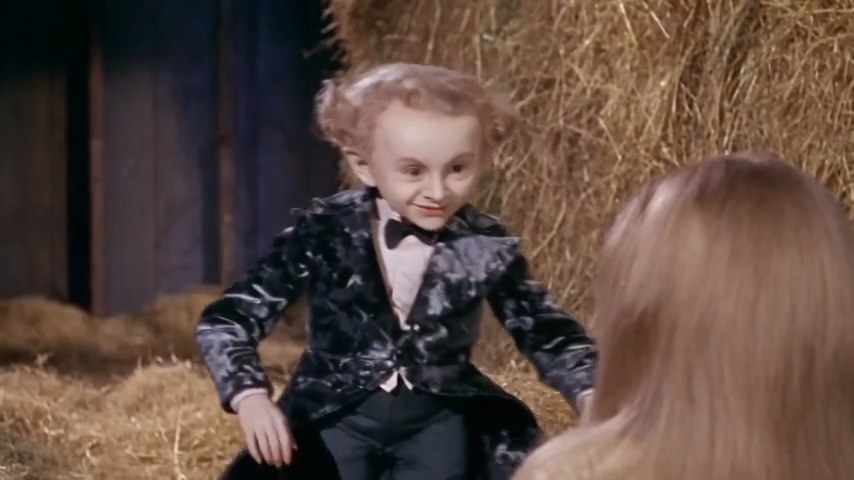
A straw-filled fairy-tale barn
The rustic barn and piles of straw give the reference its storybook setting, with a gold transformation at the heart of the joke.
Step into a playful fairy-tale scene: a velvet-suited dancer moves on tiptoe through a straw-filled barn while an observer reacts. The Rumpelstiltskin reference adds a finger wag and a straw-to-gold flourish to the short performance.
JPG, PNG or WebP · Up to 10 MB per photoLeave empty to keep the original character
JPG, PNG or WebP · Up to 10 MB per photoLeave empty to keep the original character
This is a local photo preview. Your photos stay in this browser; no upload, video generation or charge takes place.
Use the supplied Rumpelstiltskin dance reference video as the source for the complete scene and edit. Assign the photo labeled “Dancer” only to the velvet-suited dancer, and the photo labeled “Surprised observer” only to the observer. Replace each role only when its assigned photo is supplied. At least one role photo is required; if either role photo is missing, keep that original character unchanged. Never use a single supplied photo for both roles. Preserve the straw-filled rustic barn, original costumes, props, warm lighting and 16:9 composition. Follow the source sequence and timing: the two-character barn setup, springy tiptoe dance, dancer close-up and finger gesture, observer reaction, then the wide gold-coin reveal. Preserve the reference expressions, gaze directions, body motion and straw-to-gold effect. Maintain each assigned identity across every cut, close-up and occlusion, with natural facial proportions and matching light. Keep any source audio synchronized and unchanged when audio preservation is supported; do not invent dialogue. Do not swap identities, replace an unassigned character, omit the reaction or gold reveal, insert shots, add people, text or logos, or introduce facial flicker, warped hands or extra limbs.
Reference example
Source: Rumpelstiltskin AI DanceThese three moments break down the original reference clip from Rumpelstiltskin AI Dance. They show the source performance, not separate variants or videos generated here.
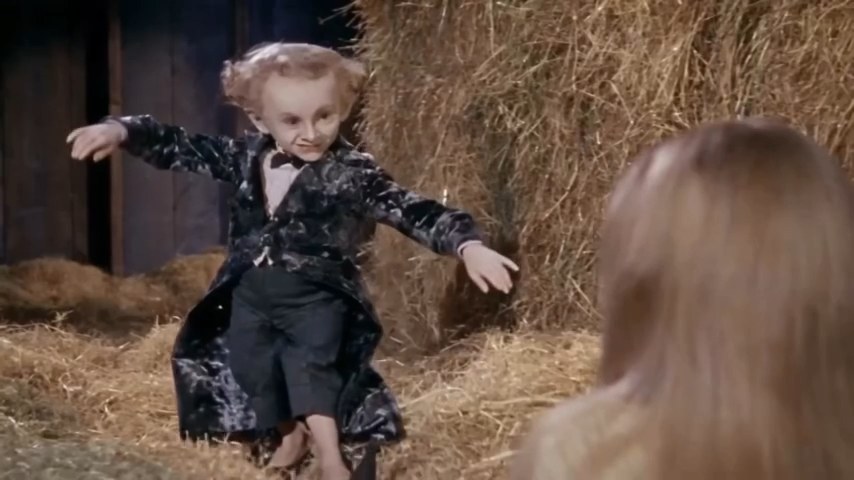
The velvet-suited dancer moves on tiptoe across the straw-filled barn.
The onlooker’s startled reaction gives the dance its second character role.
An expressive hand gesture and the straw-to-gold flourish complete the short scene.
Reference exampleSource: Rumpelstiltskin AI Dance
Replace the dancer, the surprised observer or both. An empty role keeps its original character, so one photo is enough to start.
Select a clear photo for each role you want to change. Check the dancer and observer labels before reviewing your cast.
Preview your selected photos. Once generation opens, create the scene, review the dance and reactions, and download your result.
The rustic barn and piles of straw give the reference its storybook setting, with a gold transformation at the heart of the joke.
Change only the dancer, only the observer or both. Leave a photo slot empty to retain that character from the original scene.
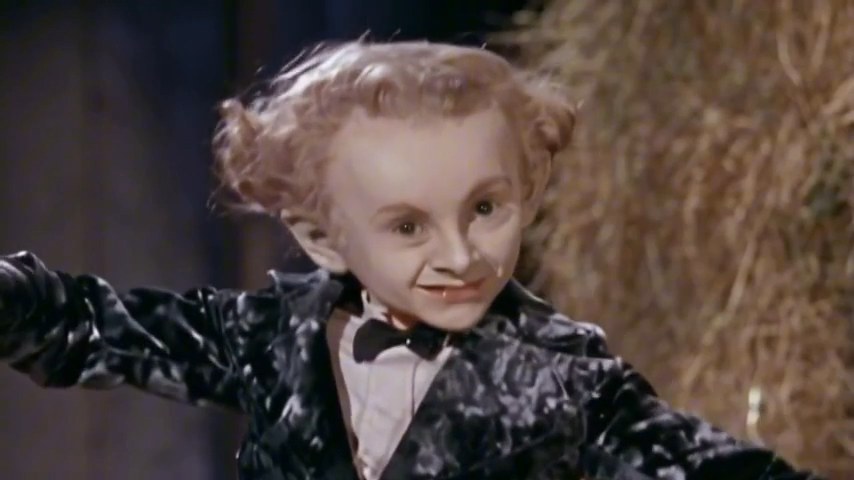
The original eight-second clip combines small, springy dance steps with an expressive finger gesture and an onlooker’s reaction.
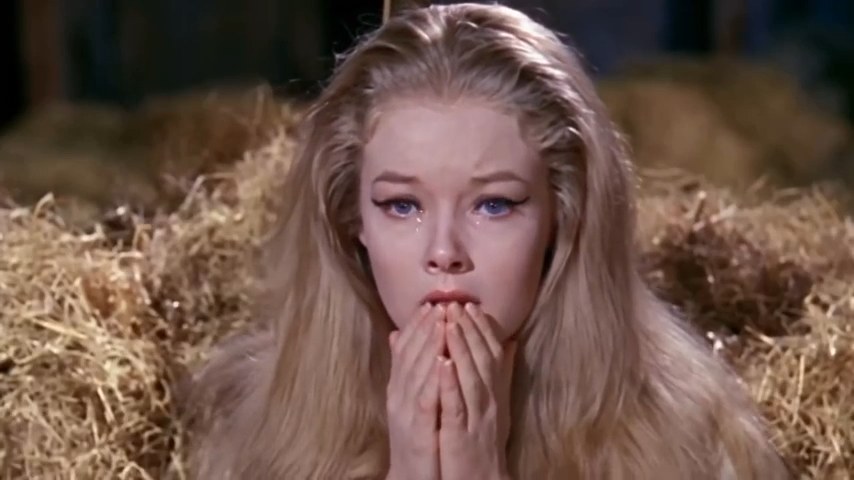
The observer is part of the effect, not just background. Review both roles in the result, since expressions, likeness and movement can vary.
It is a character-replacement video template based on a short barn scene. A small velvet-suited character dances on tiptoe, gestures with a finger and turns straw to gold while another character reacts.
Use one photo to change either the dancer or the observer, or two photos to change both. Each photo can be a JPG, PNG or WebP file up to 10 MB. Clear, well-lit faces are best for checking your cast.
That role is intended to keep the original character. For example, add a dancer photo and leave the observer empty to retain the original onlooker.
No custom prompt is needed to select your cast. The template uses the reference scene to define the dance, setting and reaction; your choice is which characters to replace.
The reference clips contain audio. Audio for generated results has not been confirmed, so the original soundtrack and its usage rights are not included as a promise.
Generation is not open yet. The original reference is eight seconds long, but the final output duration, model and credit cost will be confirmed before generation becomes available.
Use a photo of yourself or someone who has given you permission. Before sharing, check any soundtrack rights and make clear that the performance is AI-altered when viewers could otherwise be misled.
Choose one or two photos to prepare your own cast for the Rumpelstiltskin scene.