The white-studio setup
A clean studio, keyboard and laptop anchor the reference scene, leaving the performers and their gestures at the center.
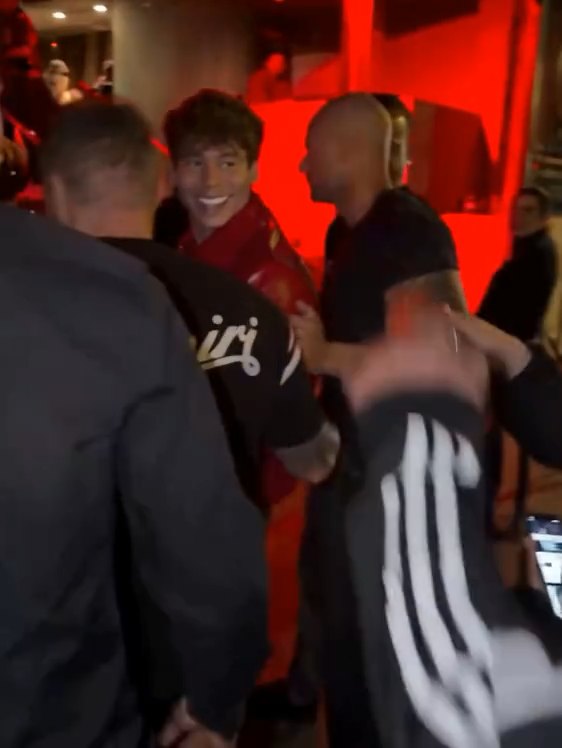
Put two familiar faces into a playful studio performance. This template pairs a keyboard performer with a foreground performer, following the rhythmic head movements and upper-body gestures of the Alors On Danse reference.
JPG, PNG or WebP · Up to 10 MB per photo
JPG, PNG or WebP · Up to 10 MB per photo
This is a local photo preview. Your photos stay in this browser; no upload, video generation or charge takes place.
Use the supplied Alors On Danse reference video as the source for motion, staging and editing. Replace the keyboard performer with the identity from the photo assigned to “Keyboard performer”, and replace the foreground performer with the identity from the photo assigned to “Foreground performer”. Both role photos are required. Keep the two identities separate and consistent throughout the clip, including close views and changes in framing. Preserve the white studio, keyboard, laptop, original costumes, body placement, lighting and 4:3 composition. Follow the reference head bobs, upper-body gestures, keyboard performance, approach toward the camera and final wide dance shot with the same timing and shot order. Preserve the original expressions and performance while adapting each face naturally to the assigned identity, with coherent head motion, skin lighting and occlusion. Keep any source audio synchronized and unchanged when audio preservation is supported; do not invent lyrics or dialogue. Do not swap roles, alter props, add people, insert shots, add text or logos, or introduce facial flicker, warped hands or extra limbs.
Reference example
Source: AIReelThese reference examples from AIReel show how different casts change the same studio performance. They illustrate the effect and are not videos generated here.
Two human performers share the white studio, with one at the keyboard and one closer to the camera.
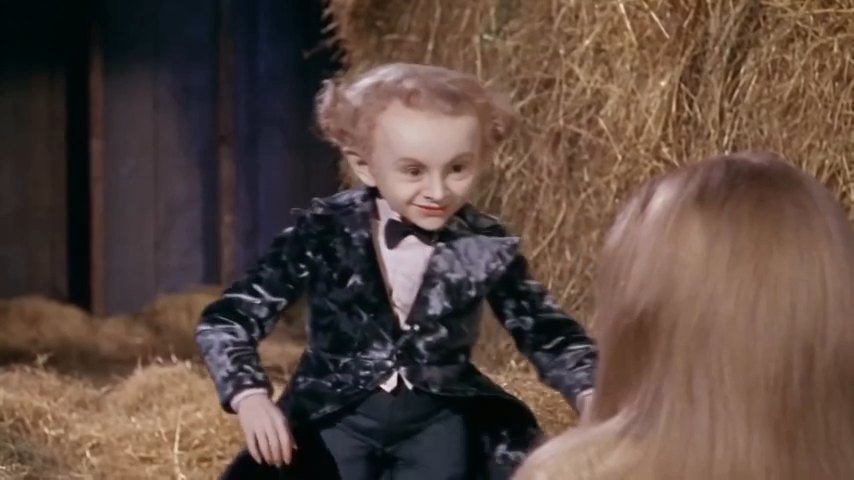
A playful animal cast follows the same keyboard-and-foreground arrangement.
A formally dressed couple gives the studio performance a different personality.
Reference exampleSource: AIReel
Decide who will take the keyboard role and who will appear in the foreground. The two photo slots keep those roles separate.
Choose one well-lit photo per performer, with a visible face and minimal obstruction. Check that each photo is in the intended slot.
Preview your selected photos. Once generation opens, you will be able to create the clip, review the result and download it.
A clean studio, keyboard and laptop anchor the reference scene, leaving the performers and their gestures at the center.
Separate photo slots let you choose the keyboard performer and the foreground performer without mixing up their positions.

The reference builds from head bobbing and upper-body gestures to a closer camera approach and a wider dance shot. Those changes in framing are part of the performance.
The reference examples show how faces and character choices change the mood. Likeness and movement can vary in a generated result.
It is a two-performer photo-to-video template based on a studio duet: one character works at a keyboard while the other performs in the foreground. Its defining details are the staging, rhythmic head movements and hand gestures.
Prepare two photos, one for each performer. The photo preview accepts JPG, PNG and WebP files up to 10 MB each. A clear face, even lighting and little obstruction make it easier to assess your choices.
No custom prompt is needed to choose your cast. The template defines the scene and role assignment, so you can focus on the two photos.
The keyboard photo is assigned to the performer behind the instrument. The foreground photo is assigned to the performer closer to the camera. Check the labels before selecting your photos.
The reference clips include audio, but audio for generated videos has not been confirmed. Do not assume a soundtrack or music usage rights are included.
Generation is not open yet. You can browse the reference clips and preview your photo choices. The model, credit cost and output details will be published before generation is enabled.
Use photos you own or have permission to use, and check the rights for any music before publishing. Present altered footage as an AI creation when needed so viewers are not misled.
Choose a photo for each performer and check your cast before generation opens.